Skip to content

Purpose

Hands framing a play button graphic

Video can be a powerful way to communicate information, promote programs and engage students. To ensure all users can access and understand our content, all videos published on bhc.edu must meet accessibility standards and follow basic quality guidelines.

Accessibility (ADA Compliance)

Black Hawk College is committed to providing equal access to digital content. All videos published on bhc.edu must comply with WCAG 2.1 Level AA standards.

Captions

  • All videos with audio must include closed captions.
  • Captions must be:
    • Accurate.
    • Synchronized with the audio.
    • Complete (including relevant sound effects such as laughter or applause).
  • Auto-generated captions must be reviewed and corrected before publishing.

Transcripts

When is a transcript required?

  • Audio-only content (podcasts, recorded interviews, voice recordings).
  • Any media where captions are not possible or not present.

When is a transcript optional?

Videos that already include accurate closed captions.

Providing a transcript for video content is strongly recommended, even when captions exist, because transcripts:

  • Improve accessibility for screen reader users.
  • Allow users to scan content quickly.
  • Improve searchability and comprehension.

Audio Descriptions

Audio descriptions provide spoken explanations of important visual information for users who cannot see the video.

When are audio descriptions required?

Audio descriptions are required when important information is conveyed visually and is not otherwise accessible, including:

  • Demonstrations or procedures.
  • On-screen instructions or text.
  • Charts, graphs, or diagrams.
  • Slides or visuals not read aloud.

When are audio descriptions optional?

Audio descriptions are optional when meaningful visual content is explained verbally within the video or provided as equivalent text on the web page.

In many cases, audio description can be avoided by describing visuals naturally during narration.

Separate audio description tracks may be required if visual information cannot reasonably be described during the main audio.

Visual Effects & Motion

Content must not flash or strobe more than three times per second to protect photosensitive users from seizures or disorientation.

  • Avoid unnecessary animation, rapid transitions or zoom effects.
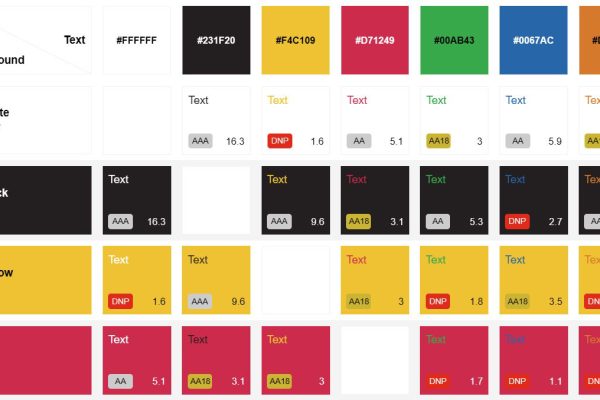
  • Ensure high contrast between text and background.
  • Use large, legible on-screen text.
  • Allow adequate time for users to read content.
  • Do not rely on color alone to convey meaning.
  • Do not enable autostart for video embeds.

Quality Guidelines

In addition to ADA guidelines, Black Hawk College uses the following standards for embedding video:

Video Embeds

  • Preferred video embed ratio 16:9.
  • Videos should be hosted on approved platforms (YouTube, TikTok, Panopto) and then shared through an embed frame on a web page.
  • Use tools provided by approved platforms to generate captions and transcripts.

Video Length

Recommended length of 30 sec. to 3 min. depending on topic. Produce multiple topics as different videos.

Visual & Audio Quality

  • Clear, steady audio with minimal background noise.
  • Adequate lighting so speakers are visible.
  • Legible on-screen text (large, high-contrast, minimal).
  • College-appropriate branding and tone.

Video Titles

Include a descriptive title with the video. Use clear language that explains the purpose of the video and what the user can learn from watching it.

Prohibited Media

  • Media content that depicts explicit language or adult content.
  • Images or media that is copyright protected or used without permission from the owner.
  • Content not meant for public consumption: other solutions are available for private document sharing. Any video on the website is ultimately available to the public.

More to Explore
Contact

Marketing & Public Relations Department