Skip to content

Document Sharing

The website hosts many documents from multiple departments. Documents are required to be hosted as PDF format for universal compatibility and file size restraints.

Convert pdf files with online programs. Users convert document files on a platform using an internet connection at desks. Concept of technology transforms documents into portable document formats.

Questions to answer before submitting a PDF

Is the document intended for a public audience?

Content placed on the website is available for public consumption. Even if a document is placed on the server and never linked on a page, it could be found through a site search or an internet search engine.

Other solutions are available for private document sharing including Microsoft OneDrive, DropBox and FTP sites.

Is there a reason the content must be viewed as a PDF?

PDF documents are less accessible and mobile-friendly than a web page. If content can be communicated on a page, that is the preferred format for user experience, website maintenance and site performance.

(For a form) Does the form need to be taken to a third-party?

Forms that only require input from a single user can often be managed more efficiently by a web form. Web forms provide more accessibility for users with disabilities, better mobile experience, easier updates and improved management opportunities.

Minimum Requirements

Leading into the ADA compliance deadline in April 2026, all PDF documents must meet minimum compliance requirements before publishing on the website. Non-compliant documents will be sent back to their authors for revision.

  • Text is selectable and searchable.
  • Images have alt descriptions.
  • All elements tagged for accessibility.
  • Forms are fillable electronically in Adobe Acrobat or Reader.

Additional Recommendations

  • Logical reading order (left to right, top to bottom throughout columns).
  • Semantic accessibility structure (headings, etc.).
  • Bookmarks and table of contents (for PDFs longer than 9 pages).
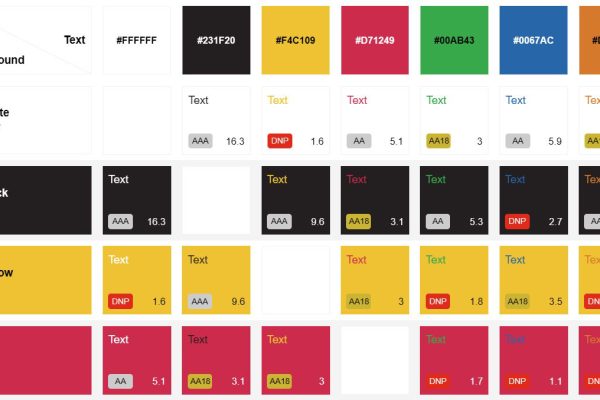
  • High-contrast colors for text readability.
  • Document includes a title.

Generating Compliant PDF documents

Microsoft Word

  • Add alt descriptions to images.
  • Use paragraph styles to structure headings (Title through Heading 6).
  • Run the “Accessibility Checker.” (File > Info > Check for Issues > Check Accessibility). This tool will highlight any accessibility issues that need to be addressed.
  • In the Save As dialog, select PDF as the file type. Add a title to your document.
  • In “Optimize for:”, select Minimum size (publishing online).
  • In Options… select “Create bookmarks using Headings” and “Document structure tags for accessibility.”

Tips for Users Creating Accessible Forms

Microsoft has two content controls (data inputs) that convert reliably in Adobe Acrobat form fields of the same kind. These can be placed in your document and render correctly in Acrobat to create accurate form controls when the “Prepare a Form” function is ran.

  • Check Box Content Control
  • Plain Text Content Control

To insert, make sure the Developer tab is available in the ribbon interface. Place your cursor where you’d like the input to appear, and click the appropriate button from the menu.

“Prepare a Form” works most effectively when:
  • Text input labels display before the input fields on the same line.
  • Checkboxes appear before their labels.


Microsoft Excel

Please note, Excel is best utilized for tabular data and is not recommended as a layout program.

InDesign

  • Use paragraph styles to create structure.
  • Export as PDF (Interactive).
  • Enable “Create Tagged PDF.”
  • Enable “Use Structure of Tab Order.”
  • “Display Title” field is set to “Document Title.”
  • Add Metadata including title, description, etc.

Other Programs

If you are exporting a document from a program other than what’s listed, please follow that application’s recommendations for exporting compliant PDFs. Submitting parties will be responsible for remediation of documents that aren’t compliant.

Prohibited Elements

  • Media content that depicts explicit language or adult content.
  • Images or media that is copyright protected or used without permission from the owner.
  • Content not meant for public consumption: other solutions are available for private document sharing. Any document on the website is ultimately available to the public.
  • Documents that don’t meet minimum ADA compliance.

More to Explore

Contact

Marketing & Public Relations Department